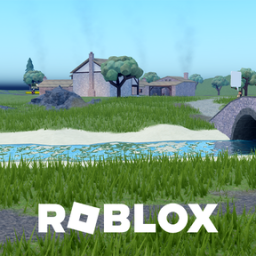
Vr Dragon Ball Game. VR Controls: Left Thumbstick = Move A = Jump Double-tap A = Toggle flight (hold A while flying to go up) X = TP to nearest enemy Y = Skill wheel (left hand) B = Skill wheel (right hand) L1 / R1 = Grab Triggers (L2 / R2) = That hand’s skill (based on skill wheel) Double-tap trigger (flying) = Faster flight speed Swing controllers = Punch PC Controls: WASD = Fly direction Hold Space = Ascend while flying Double-tap Space = Toggle flight Double-tap W while flying = Faster flight speed
Open to everyone
View activity details →
Original publication date
As reported by Roblox
Thumbnail, name, description, and access-price changes only.
| Change | Before | After | When |
|---|---|---|---|
| Icon | |||
| Icon | |||
| Icon | |||
| Icon | |||
| Icon | |||
| Icon |
Similar experiences by category and audience size.
This is the live badge that the code will show on your site.
<iframe src="https://www.spawnradar.com/widget/10096239056" width="320" height="140" frameborder="0" title="SpawnRadar live players" loading="lazy"></iframe>Get an alert the moment The Gas Station In Space (VR) changes its thumbnail, price, name, or ships an update — so you never get blindsided by a competitor. Revenue figures are transparent estimates; see our methodology.
Start tracking freeSpawnRadar is not affiliated with, endorsed, sponsored, or approved by Roblox Corporation. "Roblox" and "Robux" are trademarks of Roblox Corporation.