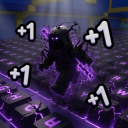
[SPONGEBOB] Cartoon Ability Arena — Live Player Count & Stats
PC CONTROLS Left Click – Punch (hold to keep punching) Q – Dash / escape a ragdoll E – Ability 1 | R – Ability 2 CONSOLE (default buttons) RT – Punch | B – Dash X – Ability 1 | Y – Ability 2 LB – Ability 3 | LT – Ability 4 PlayStation: R2, Circle, Square, Triangle, L1, L2 Change your buttons: press View to open Settings, scroll to Console Controls, select a move, then press the button you want. MOBILE Tap the on-screen buttons. Move and resize them in Settings > Mobile Controls.
Live players
0
Peak (24h)
—
Total visits
7.7K
Est. monthly revenue
$0–$0
Estimate (beta)
Player rating
66.7%
152 favorites
18 likes9 dislikes
Access
Free
Open to everyone
24-hour trend
—
View activity details →
Created on Roblox
Original publication date
Latest Roblox update
As reported by Roblox
Activity over time
Concurrent players
Not enough history yet — check back soon.
Notable change activity
Thumbnail, name, description, and access-price changes only.
No notable changes in 24 hours.
Notable changes
No competitor-level changes tracked yet — SpawnRadar logs every thumbnail, name, price, and description change as it happens.
Embed a live player-count badge
This is the live badge that the code will show on your site.
<iframe src="https://www.spawnradar.com/widget/10770173514" width="320" height="140" frameborder="0" title="SpawnRadar live players" loading="lazy"></iframe>Track [SPONGEBOB] Cartoon Ability Arena with SpawnRadar
Get an alert the moment [SPONGEBOB] Cartoon Ability Arena changes its thumbnail, price, name, or ships an update — so you never get blindsided by a competitor. Revenue figures are transparent estimates; see our methodology.
Start tracking free