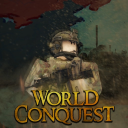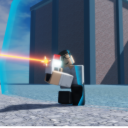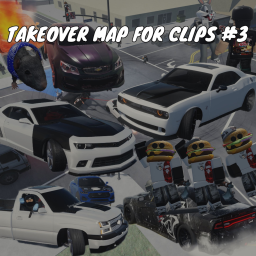
Game is meant for Console / PC Spot with a crowd / traffic to get cool clips 6 cars on spawner, more car codes to spawn are in di z z y CONTROLS: Car Controls Most cars have Auto Start enabled. If not, use the engine icon to turn your engine on/off. Also, if you have issues with your character sliding after getting in and out of cars just reset your character to fix! PC Controls: Upshift: Shift + E Downshift: Shift + Q Parking Brake: P Traction Control On/Off: T ABS On/Off: Y Console Controls: Xbox: Upshift: RB + Y Downshift: RB + X Parking Brake: LB Traction Control On/Off: Down on D-Pad ABS On/Off: Right on D-Pad PlayStation: Upshift: R1 + Triangle Downshift: R1 + Square Parking Brake: L1 Traction Control On/Off: Down on D-Pad ABS On/Off: Right on D-Pad
Open to everyone
View activity details →
Original publication date
As reported by Roblox
Thumbnail, name, description, and access-price changes only.
No competitor-level changes tracked yet — SpawnRadar logs every thumbnail, name, price, and description change as it happens.
Similar experiences by category and audience size.
This is the live badge that the code will show on your site.
<iframe src="https://www.spawnradar.com/widget/8188467381" width="320" height="140" frameborder="0" title="SpawnRadar live players" loading="lazy"></iframe>Get an alert the moment TAKEOVER MAP FOR CLIPS #3 changes its thumbnail, price, name, or ships an update — so you never get blindsided by a competitor. Revenue figures are transparent estimates; see our methodology.
Start tracking freeSpawnRadar is not affiliated with, endorsed, sponsored, or approved by Roblox Corporation. "Roblox" and "Robux" are trademarks of Roblox Corporation.