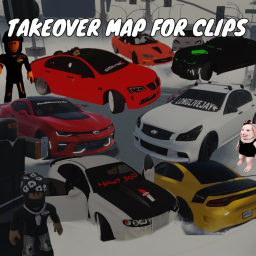
TAKEOVER MAP FOR CLIPS — Live Player Count & Stats
Takeover / Roleplay Game CONTROLS: Car Controls Most cars have Auto Start enabled. If not, use the engine icon to turn your engine on/off. Also, if you have issues with your character sliding after getting in and out of cars just reset your character to fix! PC Controls: Upshift: Shift + E Downshift: Shift + Q Parking Brake: P Traction Control On/Off: T ABS On/Off: Y Console Controls: Xbox: Upshift: RB + Y Downshift: RB + X Parking Brake: LB Traction Control On/Off: Down on D-Pad ABS On/Off: Right on D-Pad PlayStation: Upshift: R1 + Triangle Downshift: R1 + Square Parking Brake: L1 Traction Control On/Off: Down on D-Pad ABS On/Off: Right on D-Pad Spawner has been added to the game (Top of your Screen) Team Select and Settings on the left side of your screen CPD team is locked you have to apply to server in description Please leave us feedback on what we can fix and hope ya'll enjoy the game
Live players
0
Peak (24h)
—
Total visits
68.8K
Est. monthly revenue
$0–$0
Estimate (beta)
Player rating
78.2%
728 favorites
97 likes27 dislikes
Access
Free
Open to everyone
24-hour trend
—
View activity details →
Created on Roblox
Original publication date
Latest Roblox update
As reported by Roblox
Activity over time
Concurrent players
Not enough history yet — check back soon.
Notable change activity
Thumbnail, name, description, and access-price changes only.
No notable changes in 24 hours. Last change: Nov 12.
Notable changes
| Change | Before | After | When |
|---|---|---|---|
| Description | Game is meant for Console / PC Spot with a crowd / traffic to get cool clips 6 cars on spawner, more car codes to s… | Takeover / Roleplay Game CONTROLS: Car Controls Most cars have Auto Start enabled. If not, use the engine icon to tu… | |
| Name | TAKEOVER MAP FOR CLIPS (More Cars in description) | TAKEOVER MAP FOR CLIPS |
Embed a live player-count badge
This is the live badge that the code will show on your site.
<iframe src="https://www.spawnradar.com/widget/8243418446" width="320" height="140" frameborder="0" title="SpawnRadar live players" loading="lazy"></iframe>Track TAKEOVER MAP FOR CLIPS with SpawnRadar
Get an alert the moment TAKEOVER MAP FOR CLIPS changes its thumbnail, price, name, or ships an update — so you never get blindsided by a competitor. Revenue figures are transparent estimates; see our methodology.
Start tracking free